Just-in-Time Context: Giving AI Agents Knowledge Without Breaking the Prompt Cache
Put stable things first and new things last. How our agents get the facts they need every turn, without a tool call and without throwing away the cache.

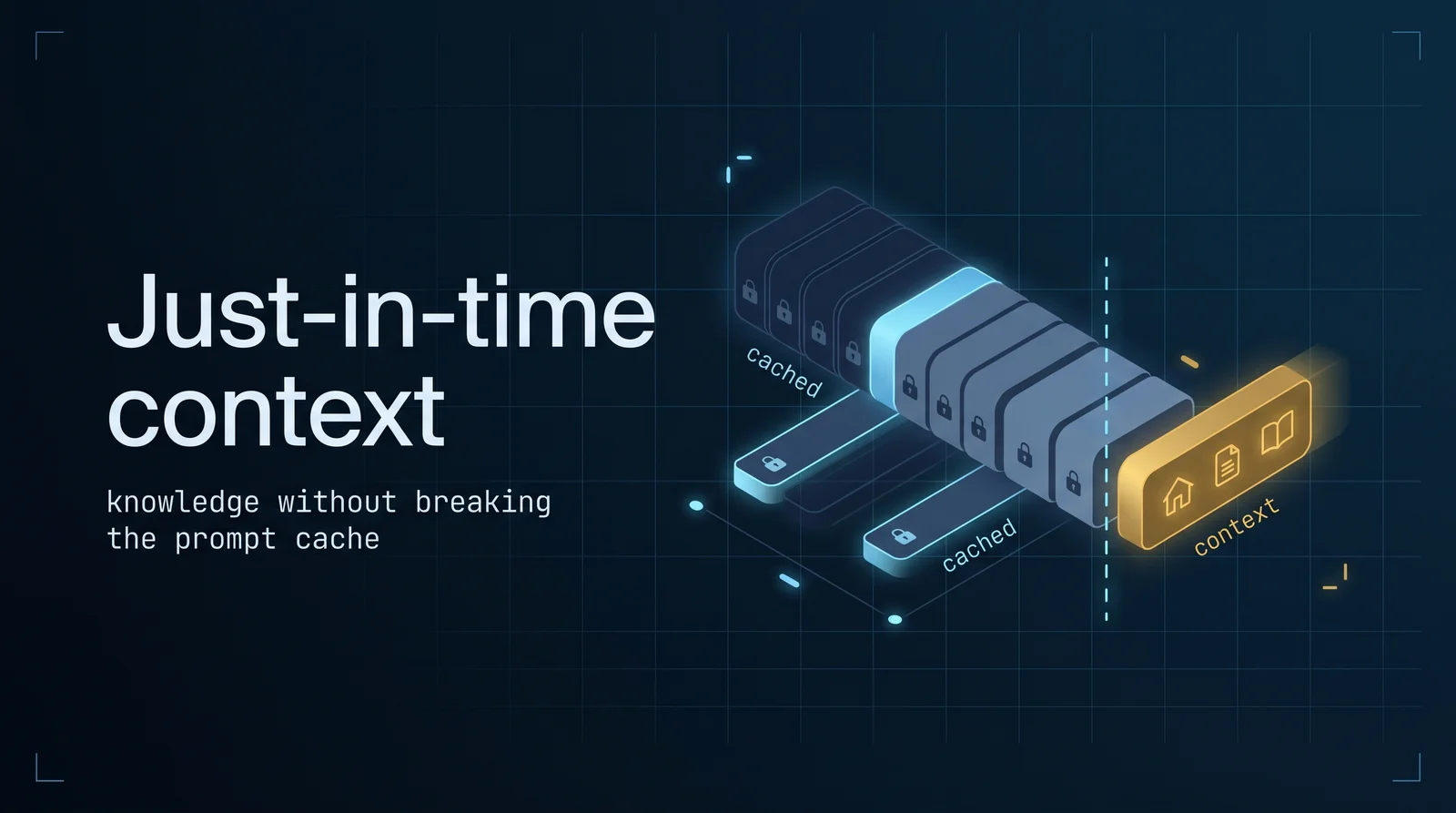
A tenant asks Genie, our assistant at MagicDoor, "When does my lease end?" We already know the answer. It's sitting in the lease. The only question is how it gets in front of the model.
There are two obvious ways to do that, and both are wrong.
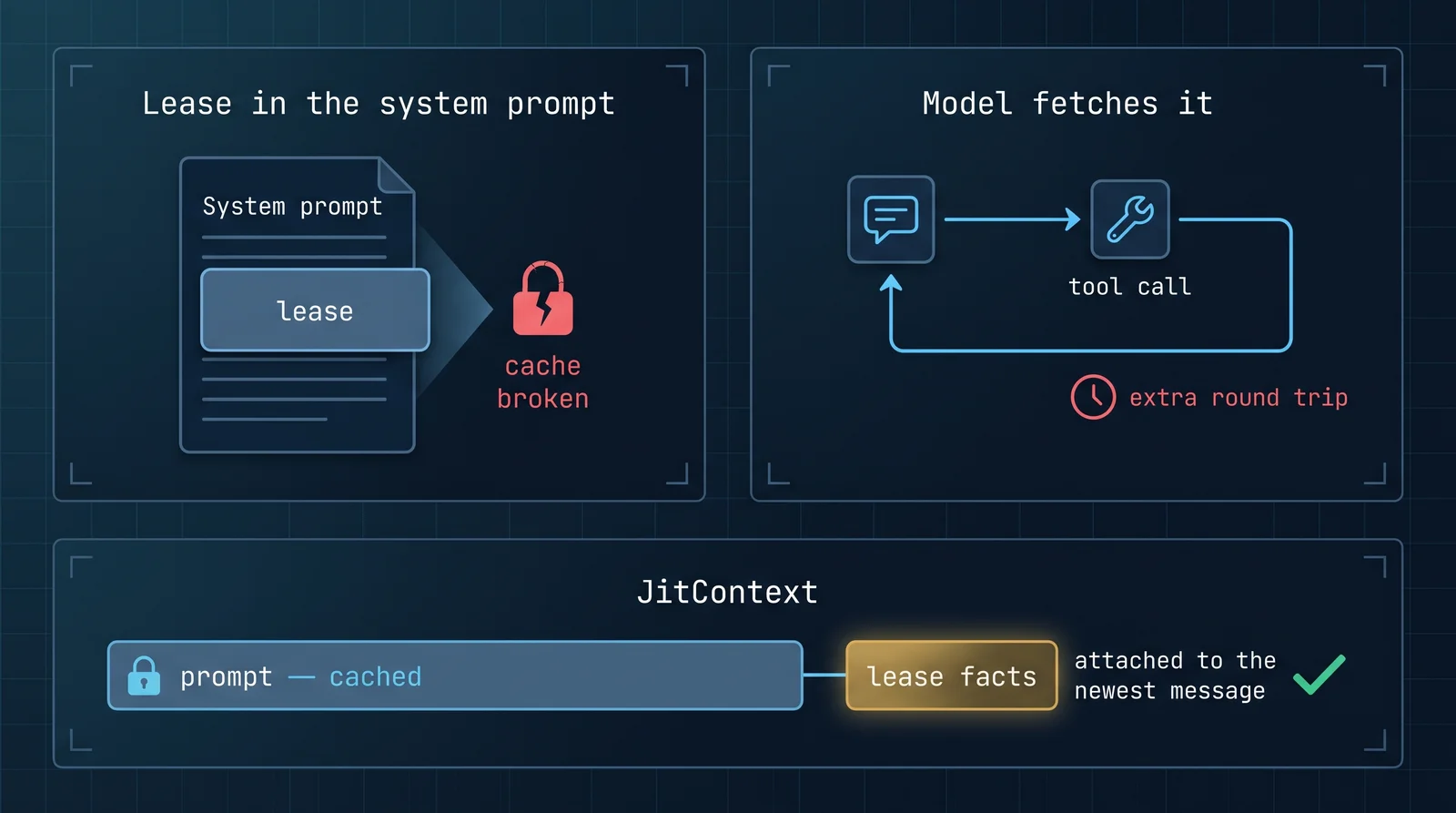
Put it in the system prompt. Then it's always there. But every lease is different, and every edit to a lease changes the prompt. You pay for that on every single turn, because a changed system prompt throws away the prompt cache.
Let the model fetch it. Give it a get_lease tool and let it call it. That works, but the most common question in the product now costs a full extra round trip: more waiting, more tokens, one more step that can go wrong.
We do neither. We attach the facts to the turn itself, at the very end of the prompt, where they can't break anything. Inside MagicDoor we call this JitContext: just-in-time context.
Why the front of the prompt matters
Prompt caching is the reason this matters, so a quick refresher.
When you send a prompt, the provider can reuse the work it already did for the part that is byte-for-byte identical to a recent request. It's a prefix match: the cache covers everything up to the first byte that changed, and nothing after it. On one of the models we run, cached input tokens cost one twentieth of normal input.
So one changed character near the top of the prompt (a date, a lease field, a reordered list) means the whole conversation is processed from scratch, on every turn, for as long as that change keeps happening.
That gives us the one rule everything else follows:
Stable things at the front. New things at the back. Never edit the past.
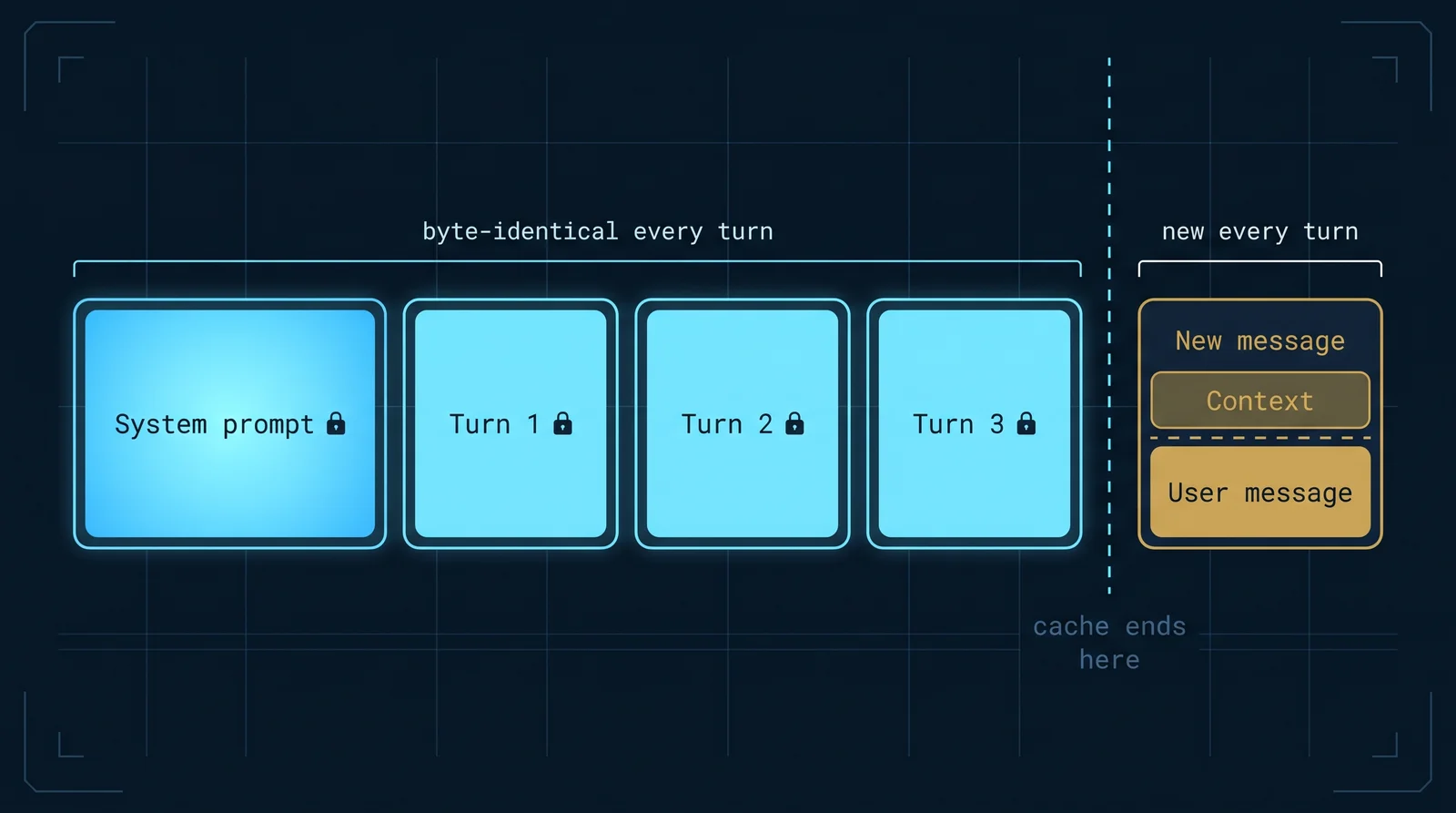
The system prompt stays byte-identical for the whole session. Past messages are never rewritten. Anything that's new this turn goes into the newest message, which is the one part of the prompt that was never going to be cached anyway.
How JitContext works
Each agent declares what it needs. Every Genie surface (the lease page, the property page, the listings pipeline and so on) declares a short list of context providers. The lease surface asks for the lease and for knowledge; a portfolio report asks for knowledge only.
Once per turn, the providers run. Before the model is called, each provider gets the conversation window, including the new user message, and returns a piece of text or nothing at all. They run one after another in a fixed order, so the same inputs always give the same text. A provider that's declared but missing is logged as an error, never skipped silently.
The output joins the newest user message. The text goes in front of what the user typed, with a short preamble and a divider:
private const string ContextPreamble =
    "The following context was attached automatically to help answer the message below:";

private static string MergeContext(string context, string userText)
{
    return $"{ContextPreamble}\n\n{context}\n\n---\nUser message:\n{userText}";
}
It's saved as its own row, and replayed in place. We store the injected text as a separate, hidden "context" message, written just before the user's message. The tenant never sees it. When the conversation is replayed on the next turn, the context folds back into exactly the same user message, in exactly the same place. Past messages are never touched, so turn two's prompt starts with turn one's prompt, byte for byte.
Moving the lease snapshot out of the system prompt and into the newest message is exactly what makes the lease page's system prompt cacheable.
Don't repeat yourself
If every turn re-injected the whole lease, we'd fill the window with copies of the same facts. So each provider remembers what it has already put in, and stores that note alongside the message it injected into.
- The lease provider keeps a hash of the snapshot it injected. Next turn, it only injects again if the lease changed, or if the old copy has left the window. That same hash is what keeps the context fresh: any edit to the lease changes the hash, so the newest version is injected on the very next turn.
- The knowledge provider keeps the IDs of the entries it injected, and excludes them before it ranks new matches. That way the slot goes to something the model hasn't seen yet, instead of being wasted on a repeat.
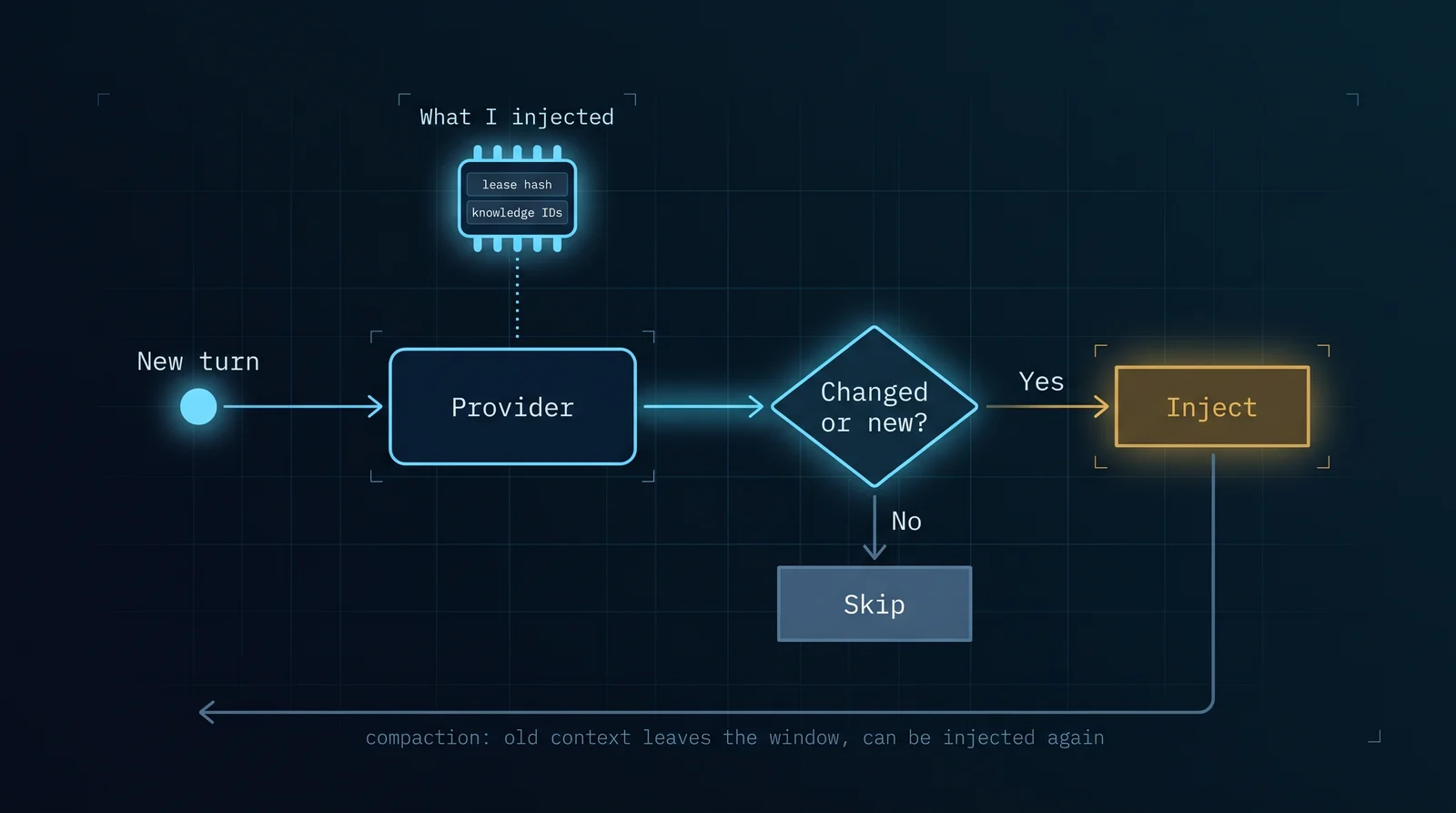
There's no clean-up step. When a long conversation is compacted, the old messages are summarised, and their context notes go with them. At that point the facts are no longer in the window, so the provider is free to inject them again. Expiry falls out of compaction for free.
What we inject, and what we deliberately don't
What goes in:
- Snapshots of the thing you're looking at: the lease, property, unit, listing or rental application.
- Knowledge: our glossary, domain rules and UI flows, matched to the question. Automatic injection takes the top three matches within a budget of 1,200 tokens. If the model needs more, it can search for itself.
- For tenant chat: the policy handbook and the maintenance runbook. The runbook guides the agent and is never quoted to the tenant.
What stays out:
- Skills. These stay as a short index in the system prompt, with a tool to load the full steps. I covered that in choosing the right AI agent harness.
- The clock, at least in relative form. Each message carries a fixed, absolute timestamp. "Three days ago" would have to be rewritten every turn, and a rewritten message breaks the cache, while "2026-11-14 09:12" never changes.
Augment the tools, never replace them
JitContext is a shortcut for the common path, not a wall. The tools are all still there; injected facts just mean the model rarely needs them for the obvious questions.
Injected context is never labelled as "may be stale — confirm with tools". A model takes a warning like that literally and fetches everything again, so you pay for the injection and the round trip.
And the label would be wrong anyway, because of the hash. Every turn, the lease provider compares the hash of the lease as it is now with the hash of the copy it already injected. If anything in the lease changed, even one field, the hashes differ and the new snapshot goes in on that same turn. The model never holds an old version of the lease; what's in the window is always the latest.
A checklist for your own agents
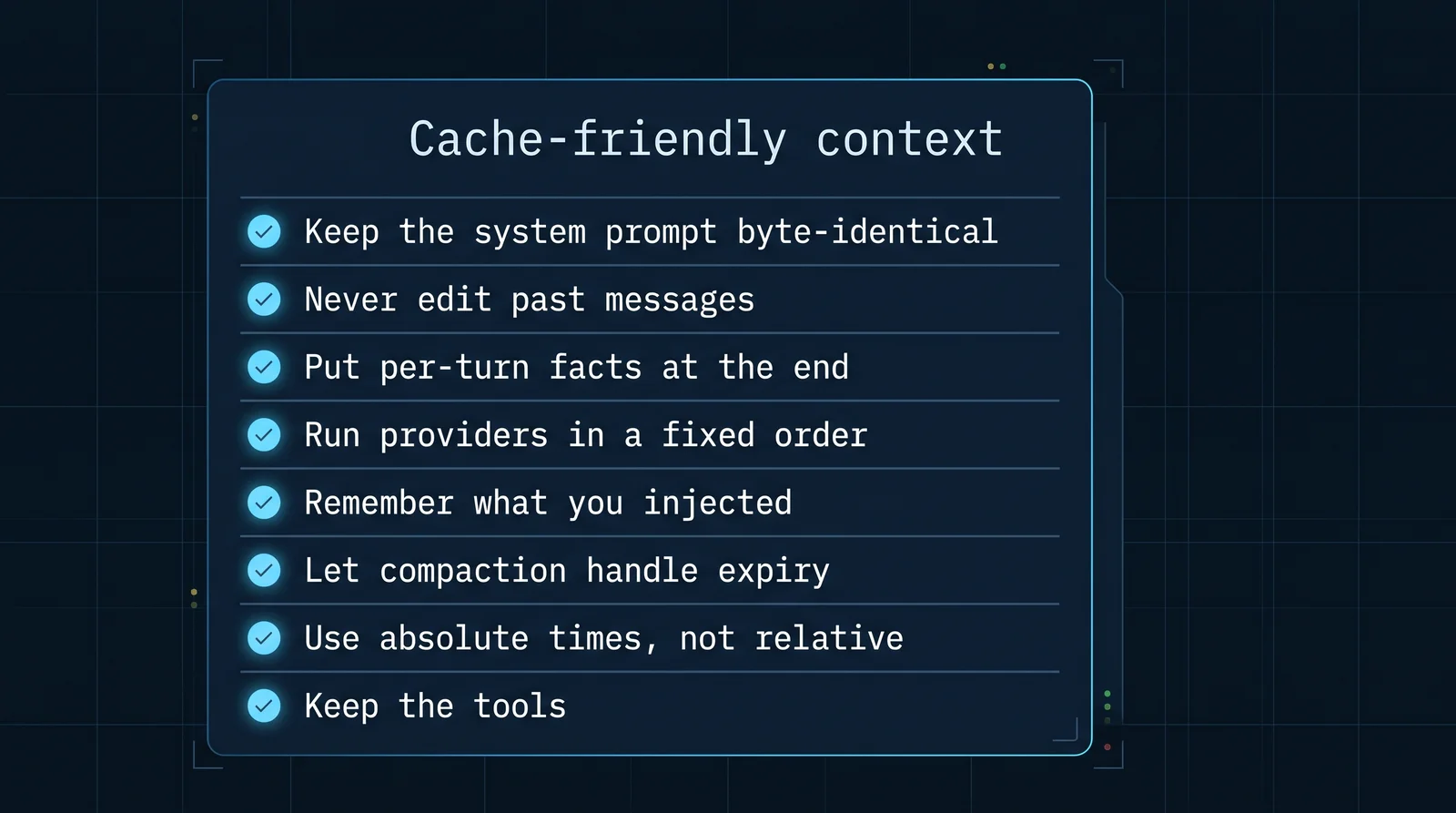
- Keep the system prompt byte-identical for the whole session.
- Never edit past messages, not even to fix a timestamp.
- Put per-turn facts at the end of the newest user message.
- Run your context providers in a fixed order.
- Remember what you injected, and skip repeats.
- Let compaction handle expiry instead of a clean-up job.
- Use absolute times, never relative ones.
- Keep the tools. Injected facts only speed up the common path.
Closing
Back to the tenant: "When does my lease end?" Genie answers in one turn. There's no tool call, and nothing that was cached gets thrown away.
None of this needs a clever model. It needs a harness that's careful about where things go: stable at the front, new at the back, and the past left alone.